
Forward Proxy vs Reverse Proxy: Same Word, Opposite Jobs
DevOps ·
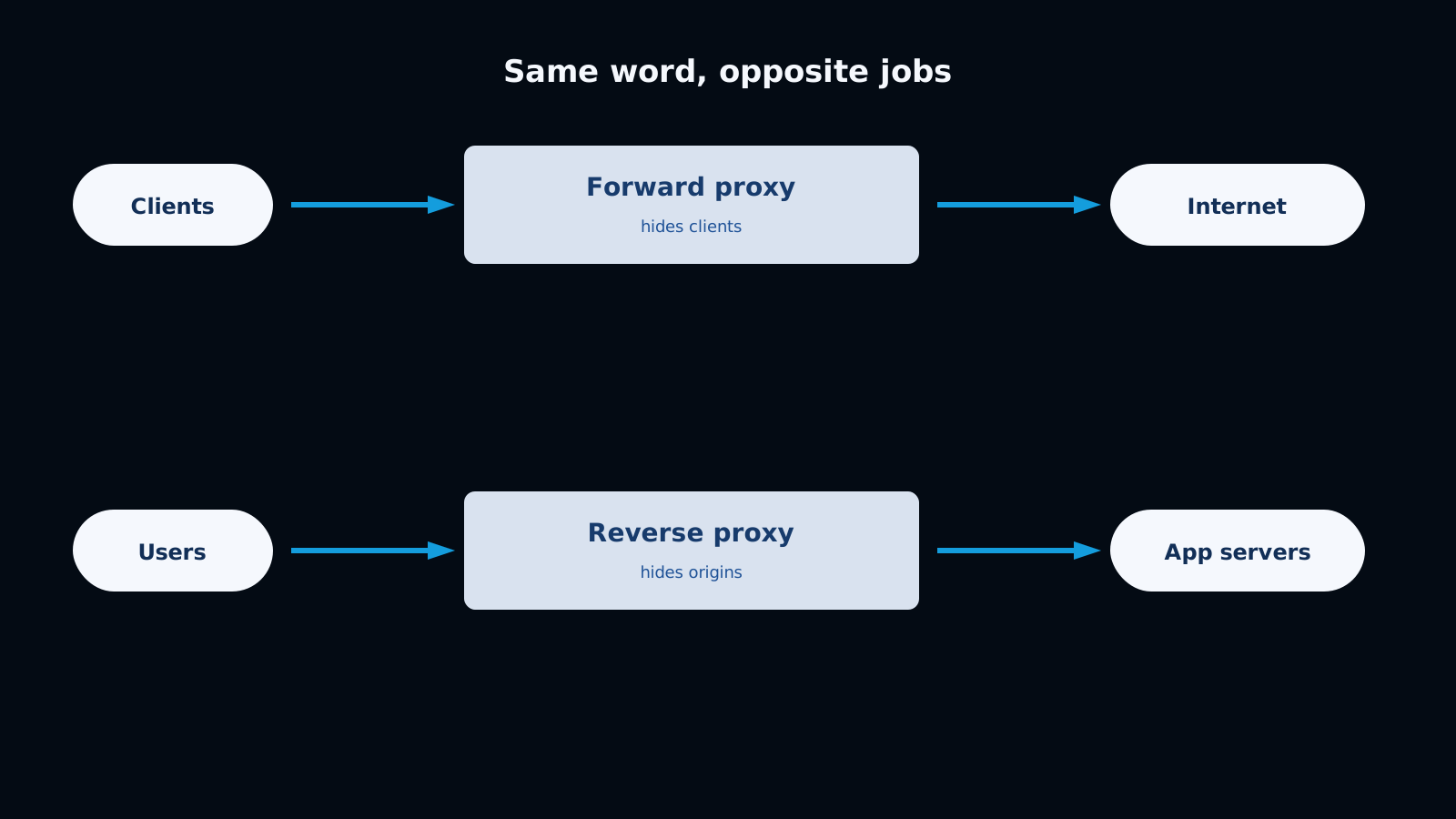
People say “the proxy” as if there is one. There are two arrows.
A forward proxy sits in front of clients. The internet sees the proxy, not the laptop. A reverse proxy sits in front of servers. The client thinks it is talking to api.example.com; it is talking to Nginx, Cloudflare, or an ALB, which then picks a box.
If you remember only the audience, you will stop mixing them up: forward protects or controls outbound users. Reverse protects or routes inbound services.
Forward proxy
Browser / scraper / Lambda -> Forward proxy -> target.com
The client is configured to use it (HTTPS_PROXY=http://proxy.corp:3128). The target website does not know you deployed a proxy. It just sees one egress IP.
I use forward proxies for:
- Office or VPN egress: all HTTP goes through a checked gate (Squid, Zscaler, mitm for TLS inspection — controversial, but common).
- Scrapers and bots: rotate or pin outbound IPs so the origin does not see 200 ECS tasks as 200 home connections.
- Calling a partner that allowlists your IP. Five app servers, one egress proxy, one allowlisted address.
- Local debugging: Charles, mitmproxy, Fiddler. That is a forward proxy on your machine.
The client must cooperate (proxy settings, PAC file, or transparent intercept at the firewall).
Reverse proxy
User -> Reverse proxy (Nginx / CloudFront / ALB) -> app:3000 / PHP-FPM / container
The user never configures a proxy. DNS for danielbojorquez.com points at the proxy. The proxy terminates TLS, maybe caches, then forwards to origin.
This is what you already have if you run:
- Nginx in front of Laravel
- Caddy or Traefik in front of Docker
- CloudFront in front of S3 + an API
- AWS Application Load Balancer in front of ECS
The origin can sit on a private subnet. That is the whole security win.
Same product, both proxies
A scraping SaaS I would design like this:
- Users hit
https://app.saas.com— reverse proxy (CloudFront + ALB). - Workers fetch
https://shop.example— forward proxy pool so shops see a stable or rotating egress IP.
If someone says “put a proxy in front,” ask which side of the request.
Comparison
| Forward proxy | Reverse proxy | |
|---|---|---|
| Sits in front of | Clients | Servers |
| Who configures it | The client or the corporate network | You, via DNS and the edge |
| Hides | User IPs and sometimes the destination | Origin IPs, ports, and topology |
| Typical software | Squid, Tinyproxy, corporate SWG, mitmproxy | Nginx, HAProxy, Traefik, CloudFront, ALB |
| TLS | Often tunnels CONNECT; inspection needs a corp CA | Usually terminates TLS for your domain |
| Caching | Can cache outbound GETs | CDN / origin cache for your site |
| Failure mode | Users cannot reach the internet | Users cannot reach your app |
Pros and cons
Forward proxy
Pros
- One place to log, block, and allow outbound traffic.
- Central IP for partner allowlists.
- Useful for scraping, geo egress, and isolating Lambda/ECS from raw internet.
- Can enforce “no direct 443 from the app subnet.”
Cons
- Clients must be configured or the network must intercept them.
- TLS inspection breaks certificate pinning and some mobile apps.
- The proxy becomes a single choke point. If it dies, egress dies.
- You now own an open-proxy risk: if it is reachable from the world without auth, congratulations, you are a botnet.
Reverse proxy
Pros
- TLS in one place. App containers can speak HTTP on an internal port.
- Path routing:
/to the Astro/S3 site,/apito Laravel,/wsto a Node socket tier. - Hides
172.18.0.12:8080. Attackers hit the edge, not every container. - Adds gzip, HTTP/2, rate limits, WAF, blue/green, and canaries without rewriting the app.
- Load balancing is usually here (or one hop behind).
Cons
- Mis-set
X-Forwarded-Forand your app logs the proxy IP, or worse, trusts a spoofed client IP. - WebSockets and long uploads need explicit timeouts and
Upgradeheaders. - Caching POST or
Set-Cookieresponses will create support tickets that look like ghost logins. - If you terminate TLS at the proxy and re-encrypt to origin, you manage two cert stories. If you do not re-encrypt, the subnet must be private.
Nginx as a reverse proxy (the 20-line version)
server {
  listen 443 ssl http2;
  server_name api.example.com;

  ssl_certificate     /etc/ssl/api.pem;
  ssl_certificate_key /etc/ssl/api.key;

  location / {
    proxy_pass http://127.0.0.1:8000;
    proxy_set_header Host $host;
    proxy_set_header X-Real-IP $remote_addr;
    proxy_set_header X-Forwarded-For $proxy_add_x_forwarded_for;
    proxy_set_header X-Forwarded-Proto $scheme;
    proxy_http_version 1.1;
    proxy_set_header Upgrade $http_upgrade;
    proxy_set_header Connection "upgrade";
  }
}
That block is why Laravel URL::forceScheme('https') and TrustProxies exist. Without them, generated password-reset links become http://127.0.0.1.
A forward proxy example for workers
export HTTPS_PROXY=http://egress.internal:3128
curl https://partner.example/v1/orders
In Docker:
environment:
  HTTPS_PROXY: http://forward-proxy:3128
  NO_PROXY: redis,postgres,169.254.169.254
NO_PROXY matters. If you accidentally proxy the AWS metadata service or your own RDS hostname, you get loops and mysterious timeouts.
Keywords worth keeping straight
- TLS termination: reverse proxy decrypts HTTPS.
- CONNECT: forward proxy tunnels HTTPS without reading it (unless it intercepts).
- SNI: the proxy sees the target hostname even when the payload is encrypted.
- Sticky session: reverse proxy pins a client to one origin. Needed for in-memory sessions and many WebSocket setups.
- WAF: almost always on the reverse-proxy / CDN layer.
- Egress: forward proxy territory.
Common mistakes
- Calling CloudFront a forward proxy. It is reverse (plus a cache).
- Binding Nginx to
0.0.0.0:80on a public EC2 and calling the app “private.” - Trusting
X-Forwarded-Forfrom the internet. Trust it only from your proxy’s IP. - Forgetting WebSocket upgrade headers, then blaming Socket.IO.
- Running an unauthenticated Squid “just for the team” on a public NIC.
How I choose
- Users hitting my site or API: reverse proxy. Always. I do not expose PHP-FPM or Node to the world.
- My servers hitting the world with a policy or a fixed IP: forward proxy.
- Local debugging of someone else’s API: forward proxy (mitmproxy).
- CDN, WAF, TLS, path routing: reverse proxy (often CloudFront + ALB or Nginx).
If the box is pretending to be the client, it is forward. If it is pretending to be the website, it is reverse. Draw the arrow once and the tooling choices get boring — which is what you want in production.