
OAuth 2.0 Without the Fog: Grants, Tokens, and Real Logins
Security ·
OAuth 2.0 is how you let App A call API B on behalf of a user (or on behalf of itself) without the user giving App A their Google password. That sentence is the protocol.
It is authorization: scopes, access tokens, audiences. Authentication (“who is this human?”) is OpenID Connect (OIDC) sitting on top of OAuth — the id_token and the userinfo endpoint. If you only implement OAuth and then treat an access token as a login cookie, you will confuse every future reviewer, including you.
OAuth 1.0a signed every request with HMAC secrets. It worked, and it was painful. OAuth 2.0 moved the hard part to HTTPS + bearer tokens. Easier to integrate. Easier to leak. The security is in how you mint, store, and rotate those tokens.
The four roles
- Resource owner: the user.
- Client: your app (the SPA, the mobile app, the Laravel backend).
- Authorization server: Google, Auth0, Cognito, Keycloak, or your own
/oauth. - Resource server: the API that accepts the access token.
”Sign in with Google” is: your client asks Google (authorization server) for permission; Google authenticates the human; your API (resource server) later trusts a token or a server-side session you create after the callback.
The flows that still matter
Authorization code (+ PKCE) — default for humans
This is the flow I use for web and mobile.
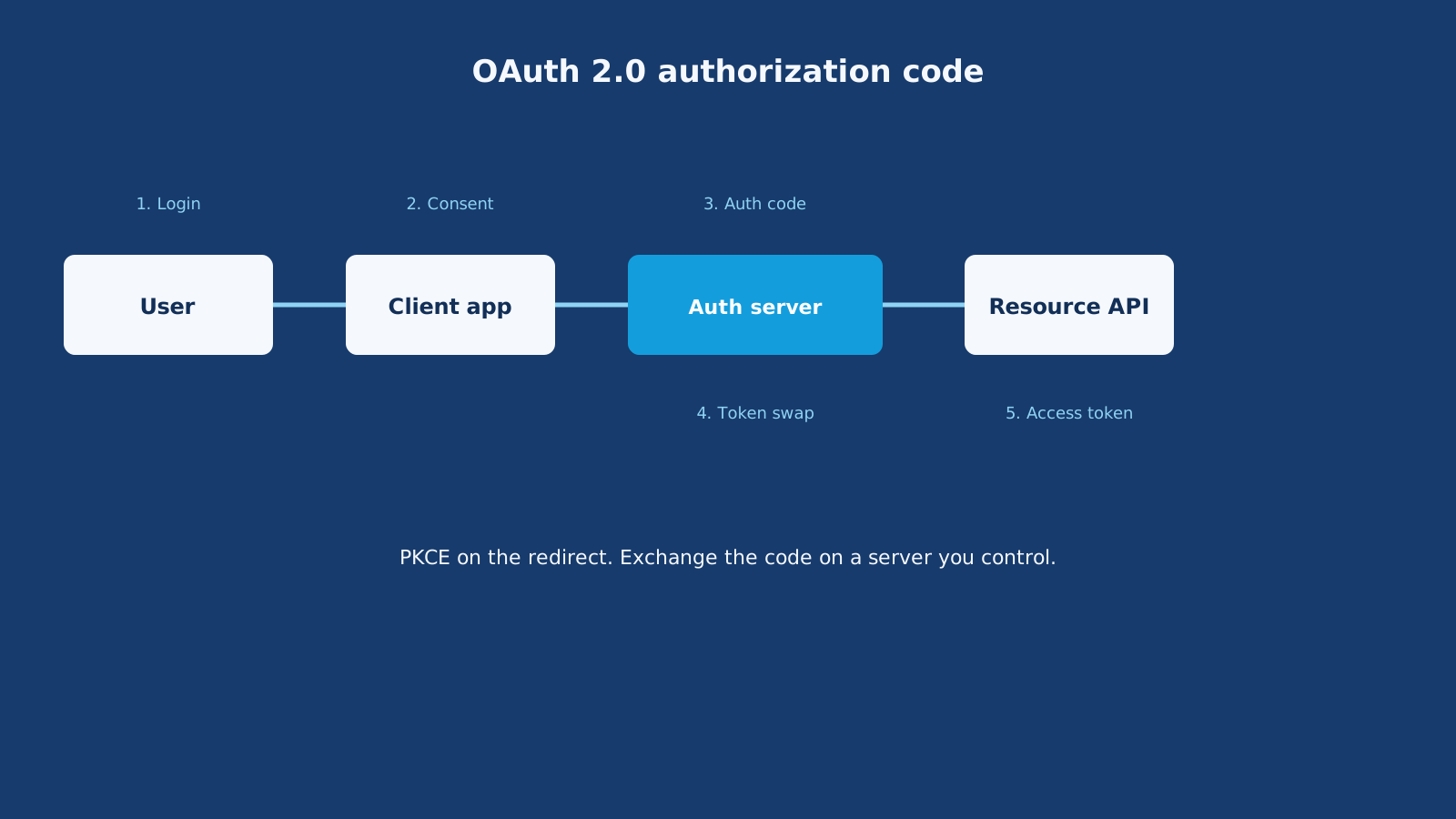
1. User clicks "Continue with Google"
2. Browser goes to Google with client_id, redirect_uri, scope, state, code_challenge
3. User consents
4. Google redirects to https://app.example.com/callback?code=...&state=...
5. Your backend swaps the code + code_verifier for tokens (server to server)
6. You create a session (or store tokens carefully)
PKCE (Proof Key for Code Exchange) stops a stolen code from being exchanged by someone who does not have the code_verifier. Public clients (mobile, SPA) must use it. Confidential clients (Laravel with a secret) should use it too. There is no prize for skipping it.
state is CSRF for the redirect. If you do not check it, an attacker can bind their code to your browser.
Client credentials — machines
No user. The payroll cron asks Cognito/Auth0/your IdP for a token with grant_type=client_credentials and a secret (or a signed JWT assertion). Scopes are things like invoices:write.
Use this for service-to-service. Do not fake a user.
Refresh tokens — silent renewal
Access tokens should be minutes, not days. A refresh token is a longer-lived credential that mints new access tokens. Rotate it: every refresh returns a new refresh token and invalidates the old one. Reuse of an old refresh token should kill the chain (theft signal).
Implicit grant — dead
response_type=token put the access token in the URL fragment. Tokens leaked via referrers, logs, and browser history. Do not use it. Authorization code + PKCE replaced it for SPAs.
Resource owner password credentials — also dead
The app collects the user’s actual password and posts it to the token endpoint. That teaches users to type Google/Facebook passwords into you. Only acceptable in legacy migration, if even then.
OAuth vs “just a JWT”
OAuth 2.0 often issues JWTs as access tokens. It does not have to. The access token can be opaque; the API introspects it at the authorization server.
What OAuth adds on top of “I signed a JWT”:
- Standardized grants and redirect rules
- Scopes (
email,payments:read) - Audience (
aud) — this token is for this API - Consent screens
- Refresh and revocation endpoints
- Client types (public vs confidential)
If you mint a homemade JWT after email/password, that is not OAuth. That can still be fine. Do not call it OAuth on the architecture slide.
A Laravel + SPA example
First-party Svelte app on app.example.com, API on api.example.com, users can also “Continue with Google.”
- User hits Google with PKCE.
- Callback lands on Laravel, not in the SPA’s JS, if I can help it. The code exchange uses
client_secreton the server. - Laravel finds or creates
users.google_id. - Laravel starts a session cookie (Sanctum) for the first-party app.
- Google’s access token is stored server-side only if I need Gmail scopes later. The browser does not need it.
If the SPA must talk to Google APIs directly, that is a different (harder) consent and token-storage problem. Most products only needed identity. OIDC id_token + your session is enough.
Mobile is similar: the system browser or a certified library (AppAuth) does the dance. The app never embeds a WebView that can steal the Google password. That is an app-store and security requirement, not a style choice.
Tokens, in practice
| Token | Job | Lives where | Lifetime |
|---|---|---|---|
| Authorization code | One-time swap | Query string, seconds | ~30–60 seconds |
| Access token | Call APIs | Memory or HttpOnly; not localStorage if you can avoid it | 5–15 minutes |
| Refresh token | New access tokens | Server or secure storage / HttpOnly cookie | Hours–days, rotated |
| ID token (OIDC) | Prove who logged in | Read once to create a session, then discard | Short |
An access token is a bearer secret. Whoever holds it is the user for those scopes. Treat it like a password with an expiry.
Pros and cons of doing OAuth 2.0
Pros
- Users do not invent another password. Conversion goes up.
- You do not store Google passwords (you never should).
- Scopes limit damage:
openid emailis nothttps://mail.google.com/. - Enterprise customers expect SSO (OIDC / SAML). OAuth/OIDC is the modern web path.
- Client credentials give you a standard machine login.
Cons
- Redirect URI mismatch will waste a day of your life. Trailing slashes matter.
- You now depend on Google/Apple/Azure being up.
- Account linking: same email, two Google accounts, or a local password user later clicking Google — you need a policy.
- Scope creep. Asking for Drive on day one will tank trust.
- If you become an authorization server yourself (Laravel Passport, Hydra), you own a security product.
Passport vs Sanctum vs “Sign in with X”
- Sanctum: first-party SPA/session or simple API tokens. Not a full authorization server.
- Passport / Hydra / Cognito / Auth0: when other apps (partners, mobile, third parties) must obtain tokens with grants and scopes.
- Socialite + session: when you only need “login with Google” for your site.
Most CV sites and most CRMs need Socialite + a session. They do not need to be Google.
Common mistakes
- Calling OAuth “more secure encryption.” It is a delegation protocol.
- Skipping
stateand PKCE. - Putting the access token in the URL or in server logs.
- Using implicit flow because an old Stack Overflow answer said SPAs cannot keep secrets (they cannot — that is why PKCE exists).
- Accepting a token without checking
iss,aud,exp, and signature JWKs. - Confusing “user logged in” with “user granted
payments:write.” Consent is per scope. - Implementing password grant so the native app can “look native.” Use the system browser.
How I choose
- Login for my own web app: OIDC authorization code + PKCE, then a session.
- Mobile: AppAuth / system browser, authorization code + PKCE, short access + rotating refresh in the keychain.
- Partner integration: I am the authorization server or I use a vendor (Cognito, Auth0). Authorization code for their users, client credentials for their servers.
- Internal jobs: client credentials or IAM roles. Not a fake user named
cron@internal.
OAuth 2.0 looks like a maze because it is a family of tools. Pick one grant, keep tokens short, exchange codes on a server you control, and do not invent a fourth way to store a bearer token in localStorage.